Version: 4.4.0.207 30-April-2013
- Windows 8 support
- Update Live Preview
- New feature to clear all 'dead' links in iTunes
- Fix date format in settings
- Changed view of statistic information
- Add MP4 to Video Files when scan with Wizard
- Add possibility to create new folder when move duplicates
- Keyboard shortcuts
- Update installation
- Issue with deleting a destination folder during the undo process is fixed.
- Speed up of Scanning process
- Memory usage optimization
- Preview of files duplicates
- Grouping files into categories based on their type
- Graphical view of scan results
- Support of Mail databases on Mac OS
- “Undo” feature: all actions with duplicates can be undone
- Clipboard activation
- Windows Media Library synchronization
- Added option to select duplicates, which were created by “copy” procedures (ex. “file.jpg”, “file(1).jpg” and “file(copy1).jpg” )
- GUI changes
- The Resolve Duplicates Assistant can now help users decide what to do with detected duplicate files suggesting the best ways to remove them.
- New Scanning Engine: more speed, less resource consumption
- Duplicate List enhancements: Search and Filter are added to context Menu
- Supporting of Outlook Express emails and contacts
- Supporting of Outlook 2007-2010 contacts and emails
- iTunes library synchronization: Control libraries of media files in iTunes for Windows and MacOS
- Music duplicates search has been improved
- Symbolic link support for Win7/Vista and Mac OS X
- Multiple UI improvements
- Minor fixes
- Hotfixes
Version: 3.2.0.18 29-Nov-2011
- Added duplicate Outlook contact scan and merge functions.
- Enhanced user interface.
Version 3.2.0.13 25-AUG-2011
- Enhanced user interface.
- Increased ease of use.
Version 3.2.0.12 21-JUL-2011
- Internal Engineering Changes.
Version 3.2.0.11 17-JUL-2011
- Internal Engineering Changes.
Version 3.2.0.10 5-JUL-2011
- Modification to enhance screen scaling
- Updates to installer
- Improvements made to activation process
Version 3.2.0.09 29-JUN-2011
- Added ability to select “Subfolders” in “Custom path” browser
- New graphics
- Windows XP compatibility enhancements
- Enhanced ability to ignore XMP tags along with EXIF tags
Version 3.2.0.6 17-MAY-2011
- Internal Engineering Changes.
Version 3.2.0.3 19-APR-2011
- Added progress indicator to display while moving or deleting emails.
- Modified search function for Outlook email to always ignore "Deleted Items".
Version 3.2.0.2 14-APR-2011
- Added functionality to find duplicates in Microsoft Outlook.
- Created tab layout for Settings menu.
Version 3.1.1.45 1-APR-2011
- Internal engineering change.
Version 3.1.1.36 18-JAN-2011
- Added EXIF tags handling: option to include/exclude EXIF data from CRC or byte
to byte comparison.
Version 3.1.1.31 20-DEC-2011
- Added a Restore Defaults function for file masks
Version 3.1.1.30 12-Dec-2010
New Release! Wizard
- Master Select Mode:Specify a folder or folders that will be used as 'Master' search criteria by which other files are compared. Master list files will be marked with a yellow Star icon, if you try to select any file with the star icon you will be warned and will have to specifically agree to allow it to be selected.
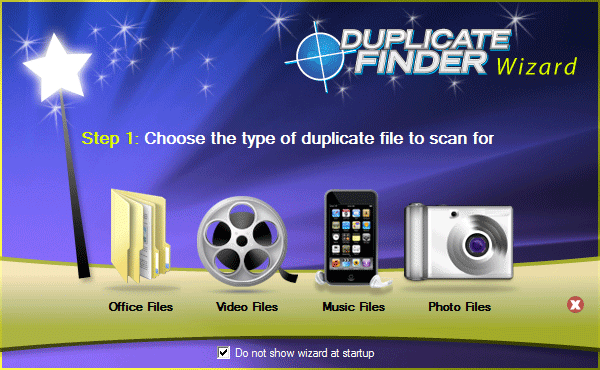
- Wizard Mode: Added a Wizard to automate the duplicate file search process.
- Auto Select
* Multiple enhancements to consolidate selection criteria
* Added functionality to mark specific files or folders as originals.
Version 3.1.1.16 15-Sept-2010
- Comparison support expanded up to 100,000 concurrent files
Version 3.1.1.3 23-July-2010
- EDF is now ID3 Audio Tag Aware!
- Search for duplicates based on audio tag descriptors such as: Song Title, Album Title,
Artist Name, Genre, etc. - Manually select duplicates, or use AutoSelect by Bit Rate or other file characteristic
- Codecs supported:
• FLAC Files (*.flac)
• MPEG Audio Files (*.mp3, *.mp2, *.mp3PRO)
• OGG Files (*.ogg)
• WAVE Files (*.wav)
• Windows Media Audio Files (*.wma)
• Real Audio Files (*.RA, *.RM )
Version 3.0.2.10 02-July-2010
- Logging of file operations is now implemented for new IFileOperation API.
- Filter logic modified, and enhanced.
- Activity animation added, other enhancements to the interface.
- Vista/Windows 7 shell file operations integration
- Confirmation messages for "Clear Results" and "Clean the list from resolved duplicates" buttons
- Changed dialog logos
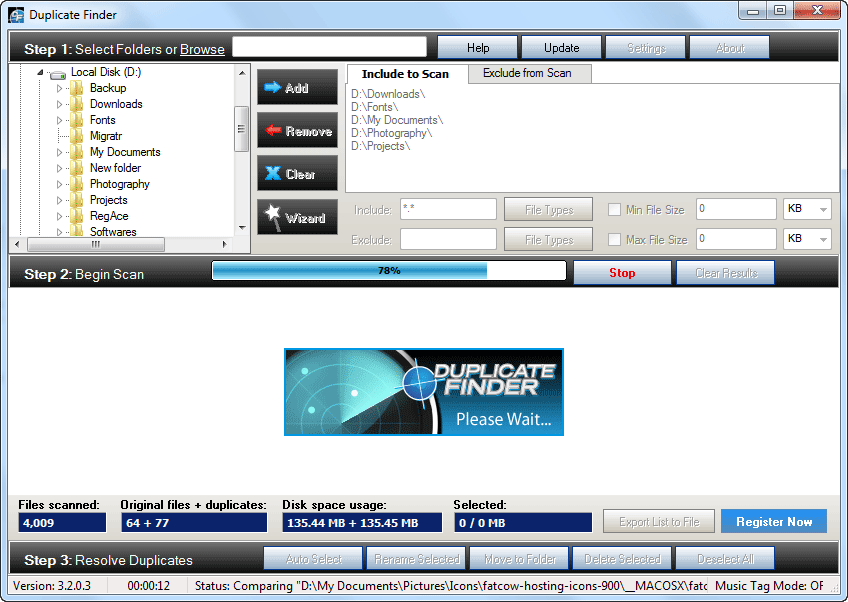
- Added animation while scan is in progress
- File system redirection on 64 bit OS modified.
- Overall performance improved
- Preserve folder structure while moving files
- Changes to FileOperation function while deleting/moving/renaming file
- Export to CSV added
- Export to HTML fixed to use UTF8 encoding (multilanguage support)
- Added error logging for file delete/move operations
- Added exception logging feature to EDF.
- Search logic modified and enhanced, including search by filename.
- Modification for font display issues.
- New dialog boxes and graphics.
- Activation function is improved.
- QuickTips implemented.
- Progress meter for moving/deleting files.
- Protection for system critical files added.
- "Include Hidden Objects" option modifications.
- Temporary" attribute for folders modified.
- User temp directory and Internet Cache folder logic modified.
- Protect System Folders" option logic modified.
Version 3.01.1 13-Apr-2010
- Enhanced Comparison Methods.
Version 3.0.0.16 19-Mar-2010
- New HDD verification control.
Version 3.0.0.15 18-Mar-2010
- Internal engineering change.
Version 3.0.0.14 18-Mar-2010
- Option to compare Filenames
- Option to skip files in user temporary and Internet cache folders
- Enhanced the User Interface for a cleaner and better ease of use.
- Survey form is shown after uninstall
- Registration URL is fixed to be https://www.duplicate-file-finder.com/register.php
Version 3.0.0.13 18-Mar-2010
- Internal engineering change.
Version 3.0.0.12 16-Mar-2010
- Rename "Save As" button to "Browse"
- Gather serial numbers from all installed hard drives and run in full (non-trial) mode if activation code does match with any of gathered serial numbers
- Display file size in megabytes
- Save/Load scan results (registered user only)
- Stable sorting, take into account file path
Version 3.0.0.11 7-Mar-2010
- Internal engineering change.
Version 3.0.0.10 9-Mar-2010
- Internal engineering change.
Version 3.0.0.9 7-Mar-2010
- Internal engineering change.
Version 3.0.0.8 4-Mar-2010
- Activate by link feature added: EDF is not able to connect to website there will be no error message,
instead it will open activation URL in browser.
Version 3.0.0.7 1-Mar-2010
- "Activate by email" link provided in license activation screen
- Support email link in about box, as well as "Activate by email" contains installation id for activation key generation
- File size exclusion bug fixed, but really large files are not supported since GB selection is not yet provided.
Version 3.0.0.6 27-Feb-2010
- Internal engineering change
Version 3.0.0.5 26-Feb-2010
- Internal engineering change
Version 3.0.0.4 25-Feb-2010
- Internal engineering change
Version 3.0.0.3 24-Feb-2010
- Internal engineering change
Version 3.0.0.2 23-Feb-2010
- Internal engineering change
Version 3.0.0.1 22-Feb-2010
- Internal engineering change
Version 3.0 19-Feb-2010
- Increased the scanning speed for duplicate file detection.
- Added search filters for photo, audio, video, productivity, and many other file types!
- Enhanced the User Interface for a cleaner and better ease of use.
- Added an Auto Selection feature to assist in choosing duplicate files automatically.
- Added an automatic online Update feature.
- Added ability to reset settings to factory defaults.
- Enhanced the preferences Settings menu and its options.
- Modified and improved the reporting functionality.
- Added ability to exclude folders and drives during scanning, as well as the recycle bin.
- Added new functionality to scan for duplicate files across any connected network.
- Added the ability to more easily browse and select specific folders for scanning.
- Added the ability to type in (or cut and paste) folder paths to be scanned.
- Added new online Help, Tutorials and Support features
- Added 64-bit support (Vista, Windows 7)